

Install a vault application licence
Most CtrlDocs vault applications need a licence before they will run. User interface applications do not.
Before you start
Section titled “Before you start”- The application already installed in the vault — see Install a vault application.
- The
.liclicence file for that product and that vault.
-
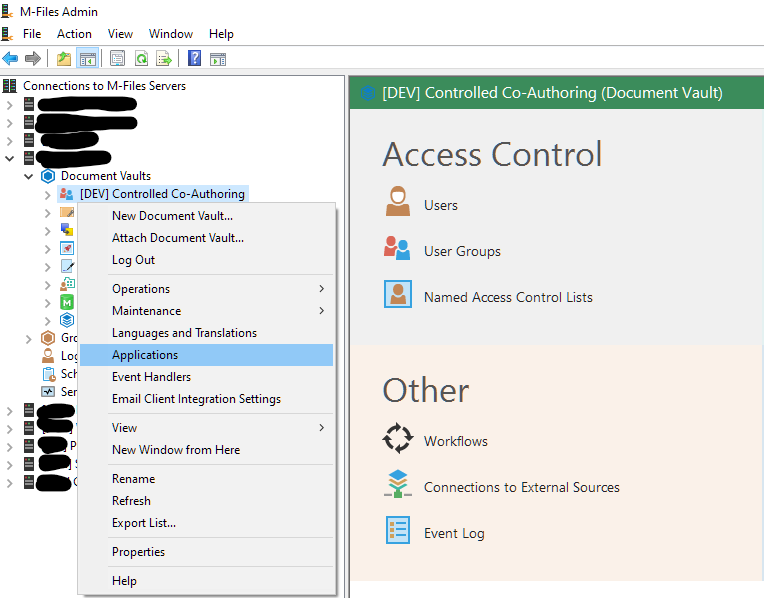
In M-Files Admin, right-click the target vault and select Applications.
-
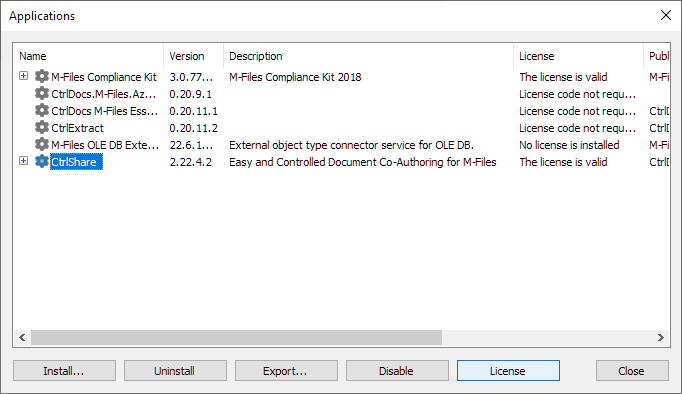
Select the application in the list, then select License.
-
Select Install License…, choose the
.licfile, and select Open.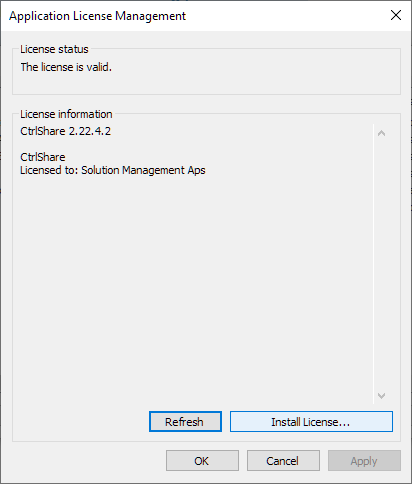
The licence dialog shows the current status of the application’s licence, including any licence error, the expiry date, and the number of licensed users where that applies. Read it before you close the dialog — this is the only place the expiry date is shown.
Return to your product’s Set up section and continue configuring it.