

Portal rules
A portal rule is a named condition. It gives a set of M-Files property-based conditions a name, and that name can then be used anywhere a component asks when something should happen.
That indirection is the whole idea: the condition is written once and referred to by a name that says what it means, rather than being repeated on every component that needs it.
How a rule is used
Section titled “How a rule is used”Most components have a Show when field deciding whether the component appears. It defaults
to true, so the component is always shown; setting it to false hides it permanently, which
is not useful on its own.
It becomes useful with a rule. Define one called has_project_manager whose condition is
'Project manager' is not empty, then set a component’s ShowWhen to has_project_manager.
The component now appears only on objects that have a project manager.
The same names work in Required when and Additional when, which is how one rule can govern whether a field appears, whether it is on the metadata card, and whether it has to be filled in.
Combining rules
Section titled “Combining rules”Rules combine with boolean operators:
and, or, not and equals, with parentheses for precedence.
Example
Section titled “Example”Given two more rules:
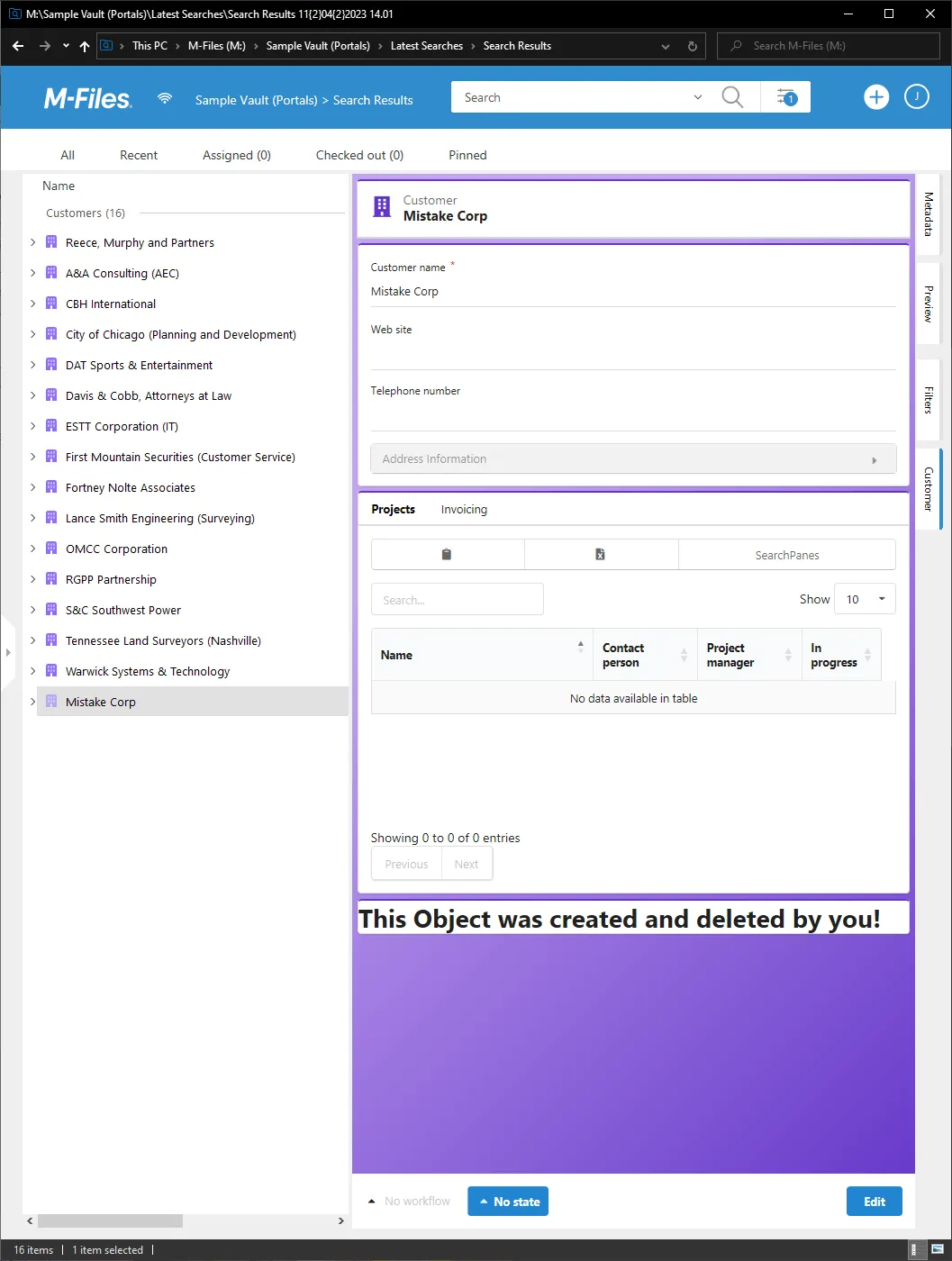
created_by_me— the object the portal is showing was originally created by the current user.deleted_by_me— that object was deleted by the current user.
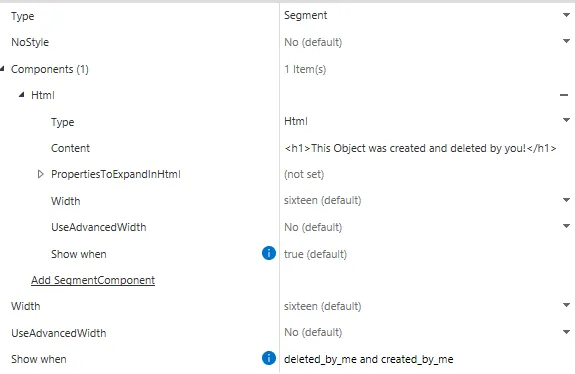
A segment that should appear only on objects the current user both created and deleted takes
deleted_by_me and created_by_me in its ShowWhen field.
Settings
Name
The name of the rule. This should be unique and descriptive.
Conditions
The conditions that must be met for this rule to be applied. Rules are checked against the current user and object.
Portal rule settings, generated from CtrlPortals 3.26.9.53.