

General settings
These are the settings at the top of the CtrlSync configuration: how CtrlSync signs in to Microsoft Graph, which vault properties it reads and writes, and how often and in what quantity it synchronises. Every setting is listed at the foot of this page.
Graph configuration
Section titled “Graph configuration”Client ID, Client Secret and Tenant ID come from the
Entra ID registration. Leave Authentication URL, API URL
and API Version at their defaults — https://login.microsoft.com,
https://graph.microsoft.com and v1.0 — which point at the global Microsoft Graph.
The rest of the section names vault properties, created in the vault structure step. They fall into two groups:
- On the connection object: whether it is active, whether it is in an error state, an on-demand sync switch, a status text, the Graph URL and Graph ID of the site, team or channel.
- On each synchronised document: the reference to its connection, the Drive ID of the document library it came from, whether to add it to or delete it from the source, whether it has been deleted there, a hash of its content, and the raw Graph data.
Drive ID is what lets one connection cover several document libraries under the same site or team, since CtrlSync 0.26.6.0.
For every property setting and the data type it accepts, see Microsoft Graph configuration.
Synchronisation frequency
Section titled “Synchronisation frequency”Synchronization frequency is how often CtrlSync exchanges data with Microsoft Graph. Set its type to Interval; the other options are not supported.
Synchronise often: between 2 and 30 times an hour. Every run costs server time, but a long interval lets the changes pile up, and one large run is harder on the server than several small ones.
Max Batch Processors and Batch Size decide how that work is split: each processor handles one batch of operations at a time, and a batch holds at most Batch Size operations. The defaults are one processor and 100 operations.
Connection maintenance frequency
Section titled “Connection maintenance frequency”Microsoft Graph sometimes reports, under load, that a site or channel no longer exists when it does. A connection that receives such an answer goes into an error state, and asking Graph again usually clears it.
Maintenance Frequency is how often CtrlSync re-checks connections in an error state. It is set the same way as the synchronisation frequency.
Logging configuration
Section titled “Logging configuration”Turn logging on, with the default log. Without it, nothing is left to answer what happened after a problem. Logging is the same in every CtrlDocs application; see Logging and email.
Remarks
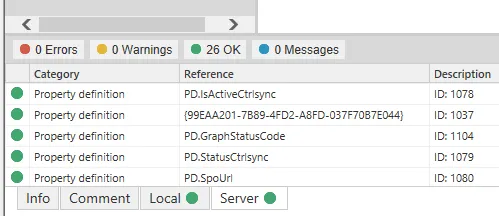
Section titled “Remarks”When you have finished, CtrlSync must report no local or server errors in M-Files Admin.
Settings
Microsoft Graph configuration
Configuration for Microsoft Graph API integration.
Employee Configuration
Configuration for employee data synchronization.
Connection Configurations
Configuration for synchronization of documents from connections.
Synchronization frequency
Frequency at which synchronization operations are performed.
Maintenance Frequency
Frequency at which maintenance operations are performed. These include connections that have entered an error state.
Max Batch Processors
Maximum number of batch processors to use. Each processor handles one batch of synchronization operations concurrently.
Batch Size
Number of synchronization operations to process, at most, in each batch.
Main configuration settings, generated from CtrlSync 0.26.6.0.